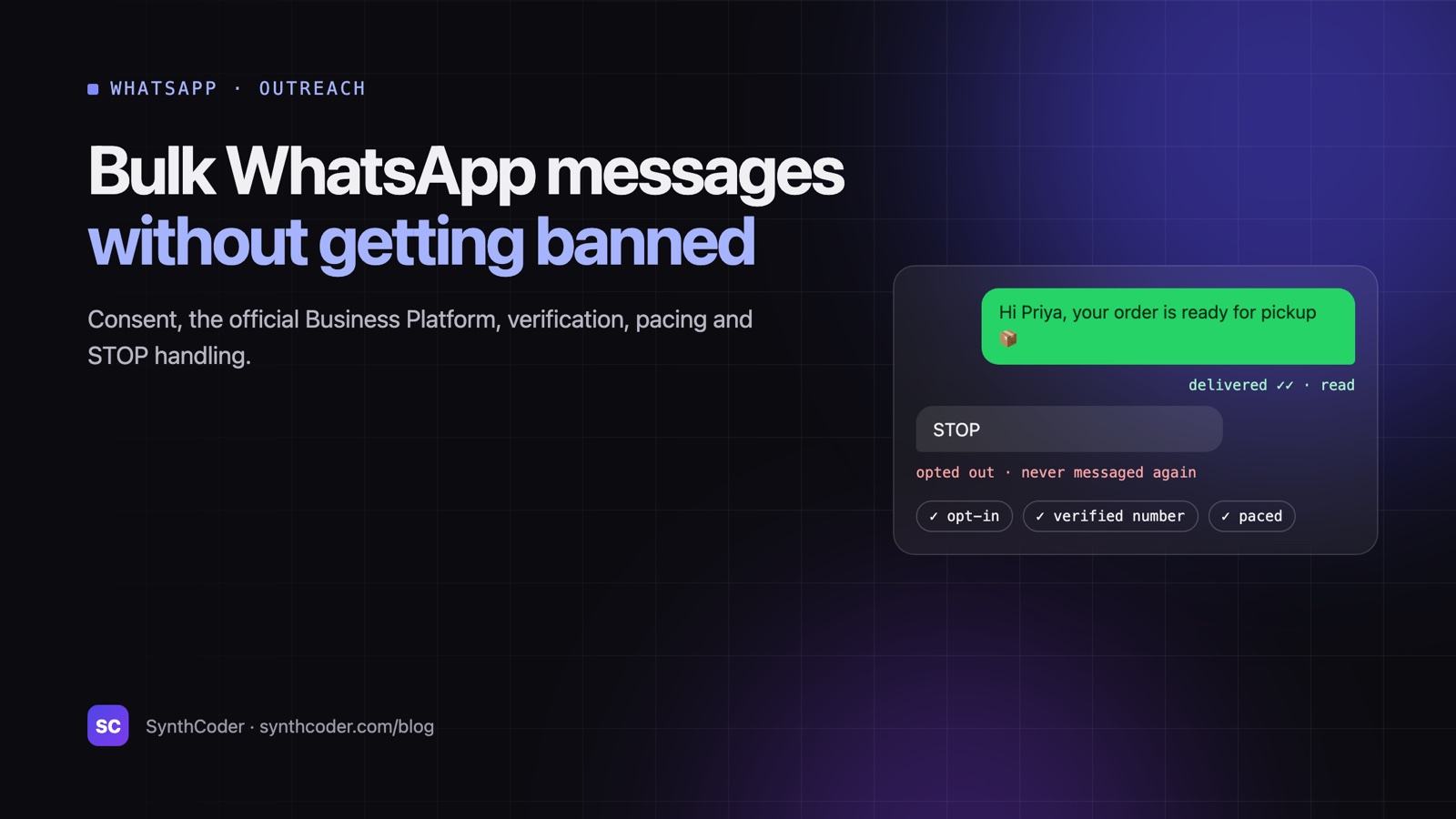
Quick answerWhatsApp restricts or bans numbers that message many people who never asked to hear from them, mostly because those people block or report the messages. To send bulk WhatsApp messages safely: collect opt-in consent, use the official WhatsApp Business Platform with approved message templates for marketing, check that numbers are on WhatsApp before sending, pace your sends, make every message relevant, and honour STOP replies immediately.
WhatsApp is the best-read channel most businesses have, which is exactly why it is protected so aggressively. We learned this first-hand building SellerMail, an email and WhatsApp outreach tool: the technology to send thousands of messages is easy; keeping the sending number healthy is the real work.
Why WhatsApp numbers get restricted or banned
WhatsApp doesn’t publish its exact rules, but the signals are well understood:
- Blocks and reports. The strongest signal. When people who didn’t expect your message tap “Block” or “Report”, WhatsApp lowers trust in your number quickly.
- Many first-time chats with strangers. Starting conversations with lots of people who have never messaged you, especially new numbers sending in bursts.
- Identical messages at volume. The same text sent to hundreds of people in minutes looks like spam.
- Sudden spikes. A number that sent 10 messages a day jumping to 500.
- Unofficial automation. Tools that drive a regular WhatsApp account through a browser or reverse-engineered protocol break WhatsApp’s terms, and the account carries all the risk.
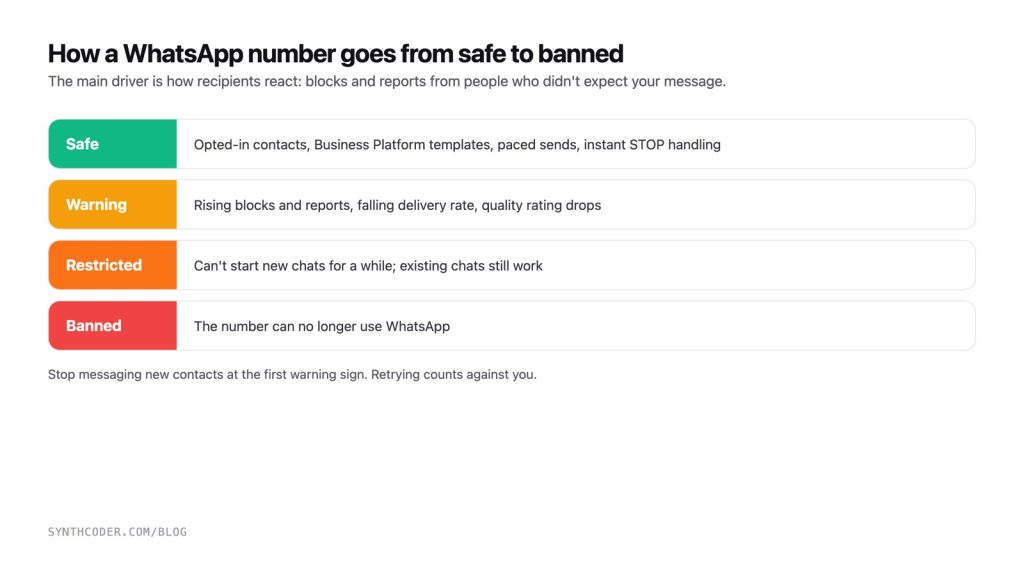
Restricted vs banned: what you’re seeing
- Restricted. The number still works for existing chats, but new messages to people who haven’t chatted with you before fail or never arrive. In the app you may see a notice that you can’t message new contacts for a while. This is a warning, and it usually lifts after a period. Retrying makes it worse.
- Banned. The number can no longer use WhatsApp. You can request a review, but there’s no guarantee it will be restored.
A tell-tale sign of a restriction: messages to existing contacts are delivered and read as normal, while first messages to new contacts show as sent but never arrive. If your tool reports these as “sent”, it is hiding the problem, so look at delivery receipts, not just send results.
Business app vs Business Platform (API)
| WhatsApp Business app | WhatsApp Business Platform (API) | |
|---|---|---|
| Made for | One person or a small team replying by hand | Software, automation and messaging at scale |
| Starting conversations | Manual, one at a time (broadcast lists only reach people who saved your number) | Pre-approved message templates |
| Marketing messages | Not designed for bulk marketing | Allowed with opt-in, using marketing templates |
| Cost | Free | Meta charges per template message, by category and the recipient’s country |
| Quality monitoring | None | Quality rating and messaging limits you can watch |
| Ban risk for bulk sending | High | Low when you follow the policy |
If WhatsApp is part of your marketing, the Business Platform is the right tool: it’s built for business-initiated messages, gives you a quality rating to watch, and doesn’t put a personal or team phone at risk.
The rules that keep a number safe
1. Get opt-in consent, and record it
WhatsApp’s Business Messaging Policy requires that people have agreed to receive messages from your business on WhatsApp before you message them. Collect it clearly (a checkbox on a form, a reply to an SMS, a “message us” click) and store when and how each person opted in.
2. Use templates for anything you start
On the Business Platform, messages you start must use an approved template (marketing, utility or authentication). Once the customer replies, you have a 24-hour customer-service window for free-form replies.
3. Check numbers before you send
Imported lists are full of landlines and old numbers. Checking which numbers are actually on WhatsApp before a campaign avoids failed sends and wasted messages. In one list of 385 B2B numbers we checked, only 123 were on WhatsApp.
4. Pace and cap your sending
Ramp up gradually, spread sends out instead of blasting, and set a daily cap. On the Business Platform, your messaging limit grows as your quality stays high.
5. Make every message relevant and personal
Use the person’s name and real context (“following up on your enquiry about…”). Varying wording helps messages read less like a blast, but it doesn’t make an unwanted message acceptable. Relevance is what prevents reports.
6. Make opting out effortless
Tell people how to stop (“Reply STOP to opt out”) and act on it automatically and immediately, in every tool that uses the number. One person who says STOP and gets another message is one report waiting to happen.
7. Watch delivery, not just sending
Track delivered and read receipts. A drop in delivery rate, or first messages that never arrive, is your early warning: pause and investigate before WhatsApp escalates.
If your number is already restricted
- Stop messaging new contacts immediately. Every failed attempt counts against you.
- Keep replying normally to people who message you; existing conversations usually keep working.
- Check the WhatsApp app or WhatsApp Manager for notices and the restriction’s end time.
- Review what triggered it: list source, consent, volume and message content.
- When it lifts, restart slowly with opted-in contacts only, or move marketing to the Business Platform.
SellerMail, the outreach tool we built, does the safe parts automatically: number verification before sending, daily caps and paced batches, delivery tracking (sent, delivered, read, failed), and STOP opt-outs shared across every tool on the same number. Read the SellerMail case study, or see our custom software and automation services.
Frequently asked questions
How many WhatsApp messages can I send per day without getting banned?
There is no safe fixed number. Bans come from how recipients react, mainly blocks and reports, not from a counter. On the WhatsApp Business Platform your messaging limit is set by Meta and grows as your quality rating stays high. With the regular app, messaging many people who don’t know you is risky at any volume.
Is bulk WhatsApp messaging legal?
Sending marketing messages to people who have opted in, through the official Business Platform, is allowed. Messaging people without consent breaks WhatsApp’s policy and, in many countries, marketing and data-protection laws.
Why are my WhatsApp messages sent but not delivered?
Common causes are a number that isn’t on WhatsApp, a recipient who blocked you, or a restriction on your number that stops it starting new chats. If messages to existing contacts arrive but first messages to new contacts don’t, a restriction is the likely reason.
Do message variations or spintax prevent bans?
They make bulk messages read less like copy-paste, which helps a little, but they don’t stop people reporting unwanted messages. Consent and relevance are what keep a number safe.
Should I use an unofficial WhatsApp API or gateway?
Tools that automate a normal WhatsApp account break WhatsApp’s terms, and the number carries all the risk. For anything beyond small-scale, personal follow-ups, use the official WhatsApp Business Platform.