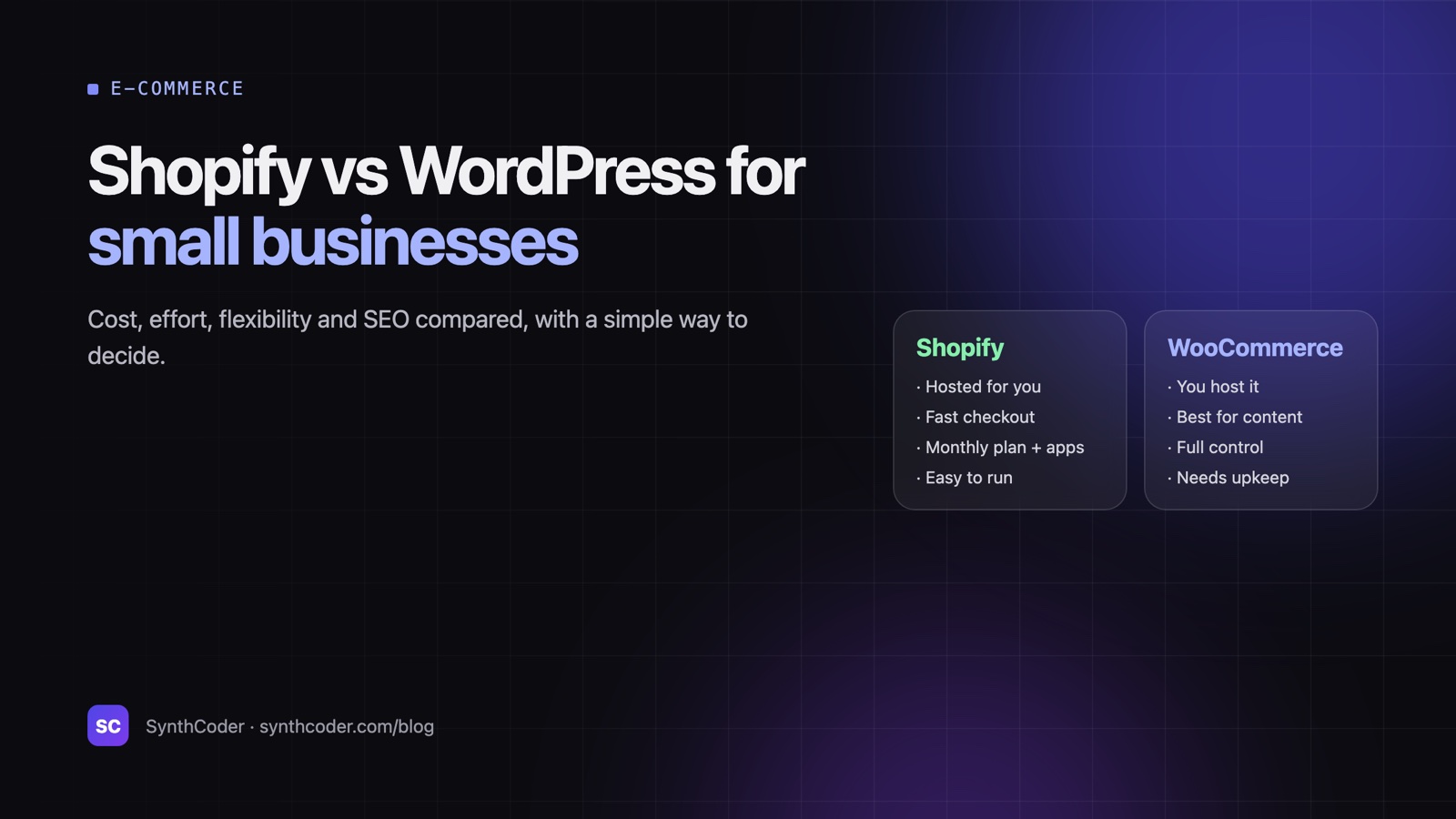
Quick answerChoose Shopify if selling products is the core of your business and you want hosting, security, updates and checkout handled for you for a monthly fee. Choose WordPress with WooCommerce if content and SEO matter as much as the store, you need unusual customisation, or you want to own and host everything yourself. For a business that mainly needs a website rather than a shop, WordPress (or a simple static site) is usually the better fit.
We build on both. Gardenix, a five-language garden supplies store, and Good Things, a gift shop, run on Shopify; Codern Infotech’s content-heavy marketing site runs on WordPress. Neither platform is “better”. They suit different businesses.
Shopify vs WooCommerce side by side
| Shopify | WordPress + WooCommerce | |
|---|---|---|
| What it is | Hosted e-commerce platform (software as a service) | Free, open-source store plugin for WordPress, which you host |
| Hosting, security, updates | Included and handled by Shopify | Your responsibility (or your developer’s) |
| Cost structure | Monthly plan + payment fees + paid apps | Hosting + domain + paid plugins/themes + maintenance |
| Checkout | Excellent, fast and trusted out of the box | Good; quality depends on setup and plugins |
| Content and blogging | Basic | Best-in-class |
| SEO control | Good, with some fixed URL patterns | Full control |
| Customisation | Within Shopify’s rules (themes, apps, Liquid) | Almost unlimited (PHP, plugins, custom code) |
| Ease for non-technical owners | Very easy | Easy once set up; more moving parts |
| Ownership and portability | Your data is exportable; the platform is Shopify’s | You own the code, data and hosting |
How the costs work
Shopify charges a monthly subscription, and the plan you choose sets your card-processing rates. If you use a third-party payment gateway instead of Shopify Payments, Shopify adds its own transaction fee on top. Most stores also pay for a few apps (reviews, subscriptions, filters), and the app bill is the part that grows quietly over time. Check Shopify’s current pricing page for plans in your country.
WooCommerce itself is free. You pay for hosting (choose good hosting; a slow store loses sales), a domain, often a premium theme and some paid extensions, and someone to keep WordPress, plugins and backups up to date. Payment gateways charge their usual fees, with no extra platform fee.
Over three years, a simple store often costs about the same on either platform. Shopify spends your money on subscriptions and apps; WooCommerce spends it on hosting and maintenance time. Compare total cost of ownership, not the headline price.
When Shopify is the better choice
- Selling products is the business, and you want to spend your time on products and marketing, not servers.
- You don’t have (or want) a developer on call for updates and security.
- You need a reliable, conversion-tested checkout from day one.
- You sell across countries and currencies, or through channels like Instagram, Google and marketplaces.
- Your team will run the store day to day without technical help.
When WordPress + WooCommerce is the better choice
- Content drives your sales: guides, blog posts, recipes or tutorials that rank in search.
- The store is one part of a bigger site (a service business that also sells a few products).
- You need custom product logic, unusual pricing, B2B rules or integrations Shopify apps can’t handle.
- You want full ownership of the code and hosting, with no platform lock-in.
- You already run WordPress and have someone who maintains it.
When it’s neither
- You don’t sell online. A clinic, consultant or local service needs a fast business website, not a store. WordPress or a static site is simpler and cheaper.
- Very large or complex catalogues with heavy B2B pricing, ERP integration or custom workflows may be better served by a headless setup or a custom build.
- You only sell a handful of digital products, where a payment link or a lightweight checkout tool is enough.
A quick way to decide
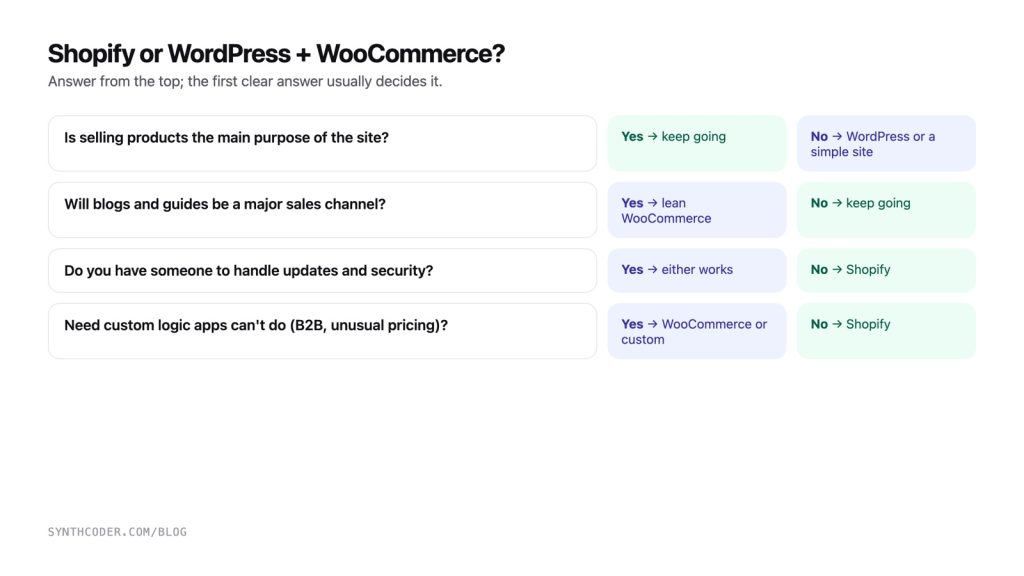
- Is selling products online the main purpose of the site? If no → WordPress (or a simple site). If yes → continue.
- Will content and SEO (blogs, guides) be a major sales channel? If yes → lean WordPress + WooCommerce.
- Do you have someone to maintain updates, security and backups? If no → Shopify.
- Do you need custom logic Shopify apps can’t do? If yes → WooCommerce or custom.
- Still unsure? Start on Shopify. It’s the lower-risk default for a product business, and you can migrate later.
Need help choosing or building? See our website development and Shopify and WordPress development services, or tell us about your store.
Frequently asked questions
Is Shopify or WooCommerce cheaper?
WooCommerce has no subscription, but you pay for hosting, plugins and maintenance; Shopify bundles hosting and maintenance into a monthly plan plus apps. For a simple store the total cost over a few years is often similar, so compare total cost of ownership.
Which is better for SEO, Shopify or WordPress?
Both can rank well. WordPress gives you full control and the best blogging tools, which matters if content is how customers find you. Shopify covers the SEO basics well but has some fixed URL structures.
Can I move from WooCommerce to Shopify, or the other way?
Yes. Products, customers and orders can be migrated with export tools or migration apps. The important part is keeping URLs or setting up redirects so you don’t lose search rankings.
Do I need a developer for Shopify?
Not to run a store day to day. A developer helps with custom design, unusual features, speed optimisation and integrations, but owners can manage products, orders and content themselves.
Is WooCommerce secure?
Yes, when it’s kept up to date. Most WordPress security problems come from outdated plugins and weak passwords, so regular updates, backups and a good host are essential.